Choose a Plan
Once you're signed in, your workspace runs on one of two plans. You can start analyzing right away on the Free plan, and license the compliance policies you need on the Standard plan whenever you're ready — all from the Plans & Billing page in the desktop app.
Free plan
A brand-new workspace starts on the Free plan: you can sign in with any azuma account — even without a nori license — and try nori on a real project at no cost. The Free plan runs three essential, code-analyzable BSI TR-03161 controls (hard-coded secrets, strong password policies, and secure generation of session/user identifiers), plus a few example controls from the newer standards — the EU Cyber Resilience Act, EU AI Act, OWASP ASVS, and BSI A5 — so you can try them before upgrading.
The remaining controls and source index topics stay visible but locked — shown greyed out with a lock and an upgrade prompt, so you can see exactly what a full license unlocks. A one-click Free filter on the Controls and Source index tabs shows just what's available without a license.
Standard plan
The Standard plan unlocks the full control set of the standards you need. Policies are licensed individually, so you book exactly the standards — and, for BSI TR-03161, the individual parts — that your projects target:
- Each policy is a fixed-price pass with a 25-day term.
- The three BSI TR-03161 parts (Mobile, Web, and Backend) are also available together as a discounted bundle.
For the current per-policy prices and the bundle discount, see the pricing overview.
Licensing compliance policies
You license policies from the Plans & Billing page in the desktop app.
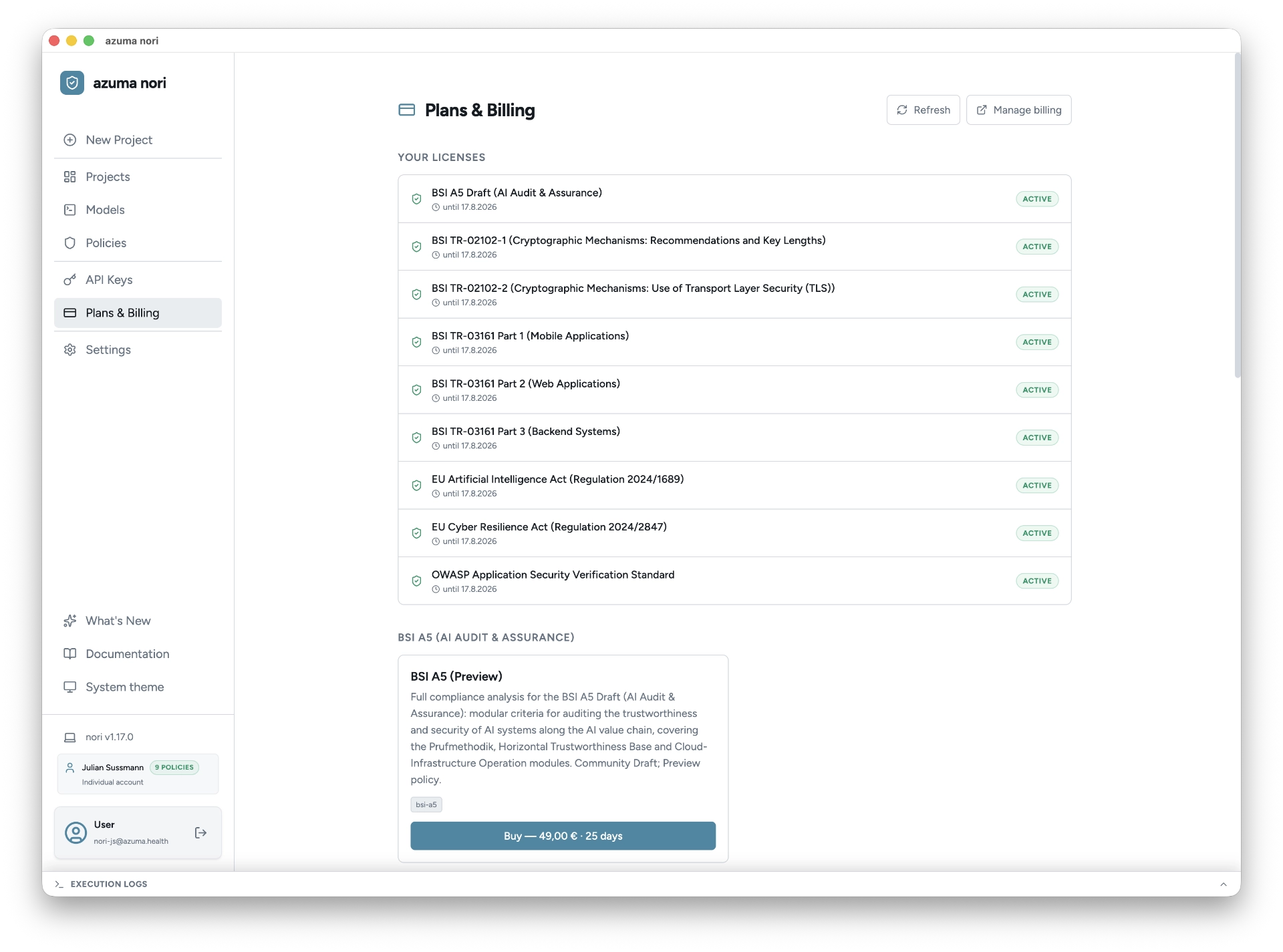
- Open Plans & Billing and pick the compliance policy — or the BSI TR-03161 bundle — you want to license.
- Complete the checkout to license it. You confirm the azuma nori on-premise license agreement each time you start a purchase.
- Once the purchase completes, the policy is licensed for your workspace — its full control set unlocks for everyone who signs in to that workspace.
A license applies to the workspace, not to an individual user: the workspace you pick at sign-in determines which policies you can run. See Workspaces & licensing and the Glossary.
Next, proceed to Create a Project.